
Search
Searching for words in the translation or the Arabic text, the order of results, and opening a result.
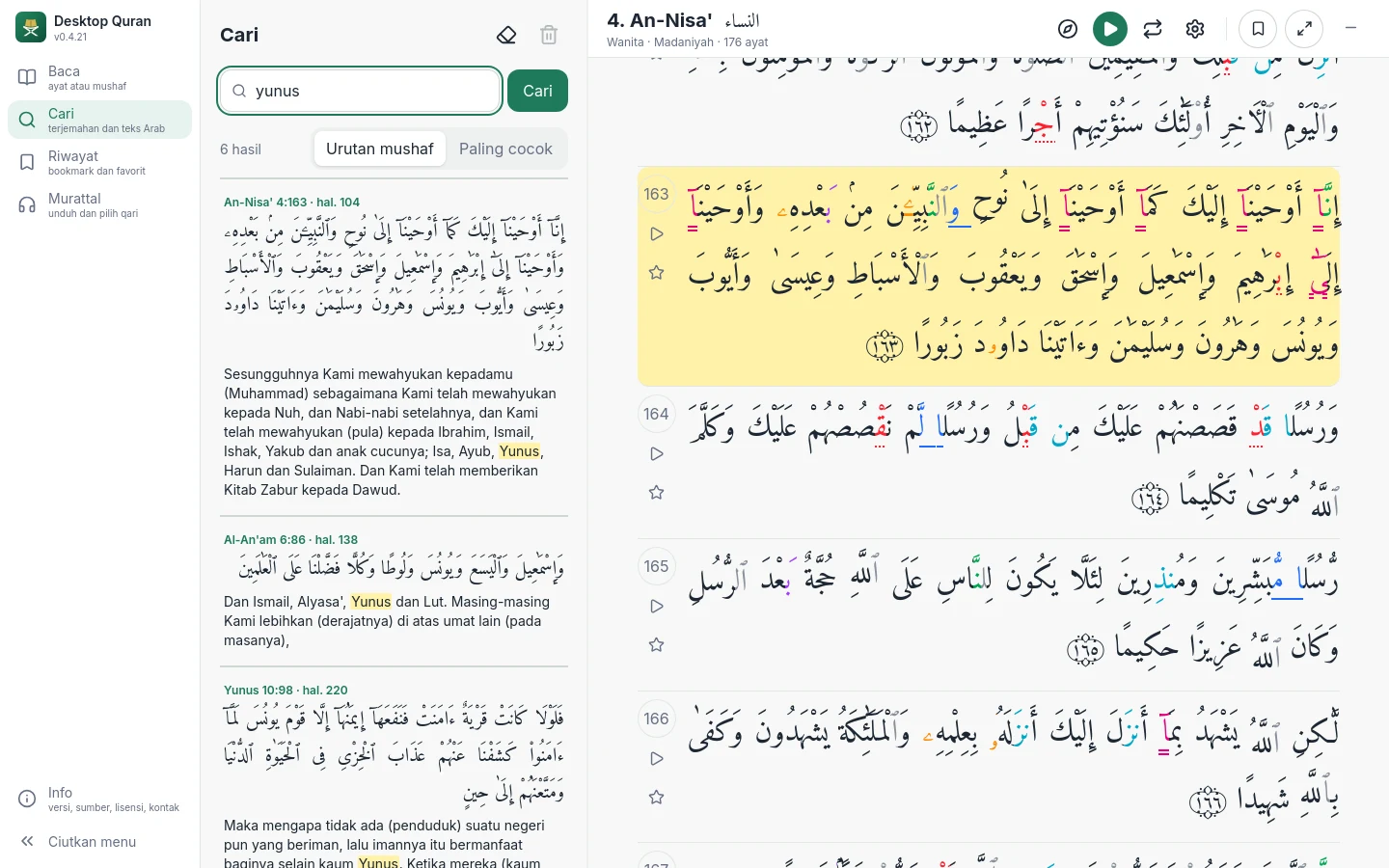
Open Search in the main menu and type one or more words. Results are shown as you type.
How search works
- Words are searched in the translation of the chosen language. Other forms of a word are found as well; for example, patient also finds patiently and patience. Snowball stemming is used for English, French, Turkish and Russian, and Sastrawi root words for Indonesian.
- A typing error of one or two letters is corrected, and the application states which word was adjusted.
- When several words are entered, ayat containing all of them are shown first. If there are none, the closest matches are shown.
- A word in Arabic letters is searched in the text of the Qur'an, disregarding the vowel marks.
Order of results
Results are listed in mushaf order. Choose Best match to order them by relevance instead. At most 100 results are shown.
Opening a result
Click a result to open that ayah in the Ayat view. The ayah is marked, and a button leads back to the list of results. On a wide screen, the list remains visible beside the reader; the boundary between the two can be dragged.
The last twenty searches are kept and can be cleared from the Search menu.