
History: bookmarks and favourites
The position last read, bookmarks and favourite ayat; sorting and deleting.
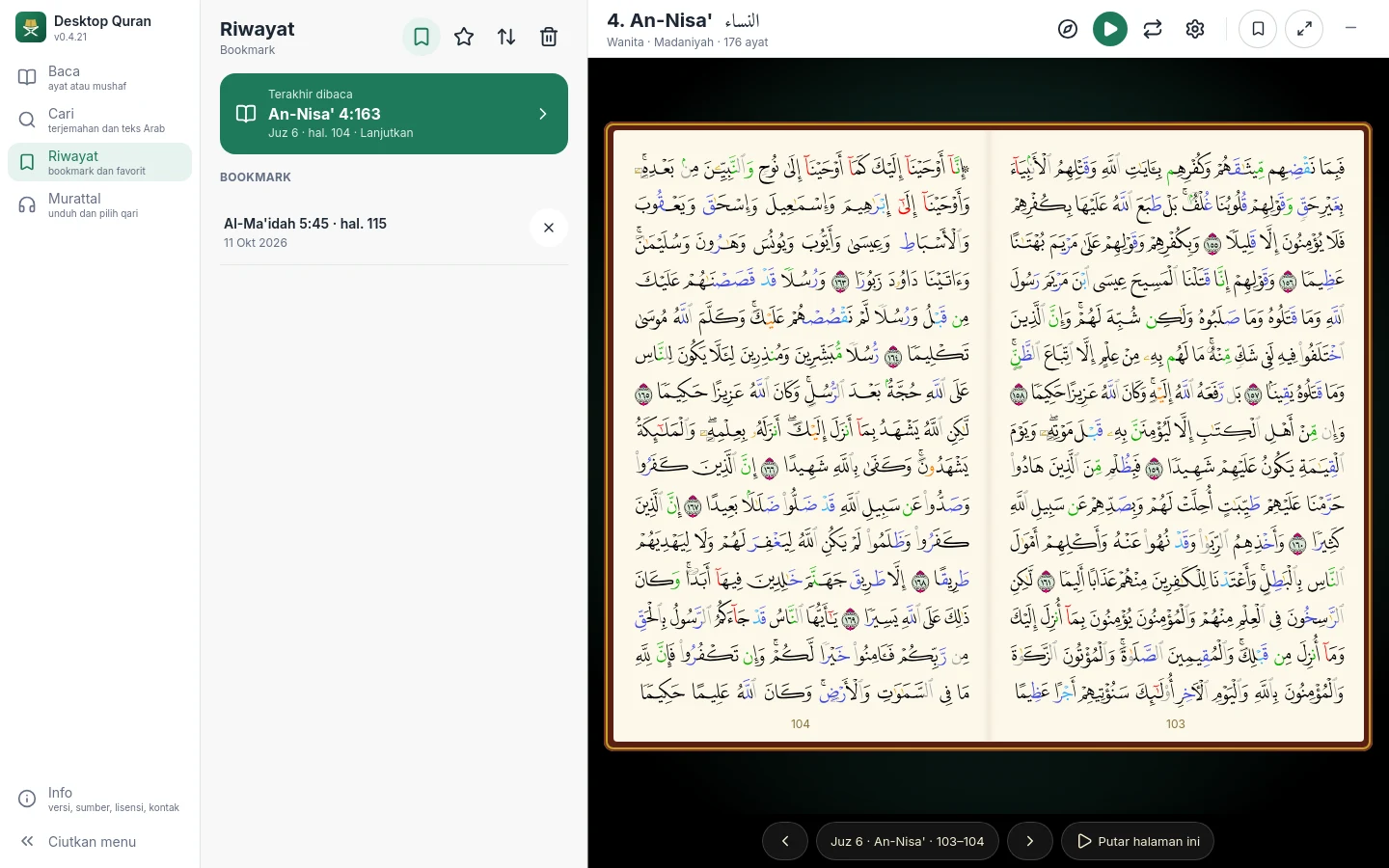
History in the main menu has two tabs: Bookmarks and Favourites.
The position last read
The position last read is always shown at the top of the Bookmarks tab. The application remembers the page or ayah last opened, including the ayah last reached by the recitation. Click it to continue.
Bookmarks
The bookmark button at the top right of the reader marks the position that is open: the mushaf page, or the surah in the Ayat view. To mark a particular ayah, press its number in the Ayat view, or press and hold the ayah in the mushaf.
Favourites
Favourites are ayat you wish to return to. Press the star button beside an ayah in the Ayat view, or press and hold an ayah in the mushaf and choose Favourite.
Sorting and deleting
Both lists can be sorted by time (newest or oldest first) or in mushaf order. Each row has a delete button, and the History menu provides a button to clear the whole list.