
Recitation and memorisation
Downloading reciters, playing a recitation, following along, the basmalah, and repeating for memorisation.
Downloading a reciter
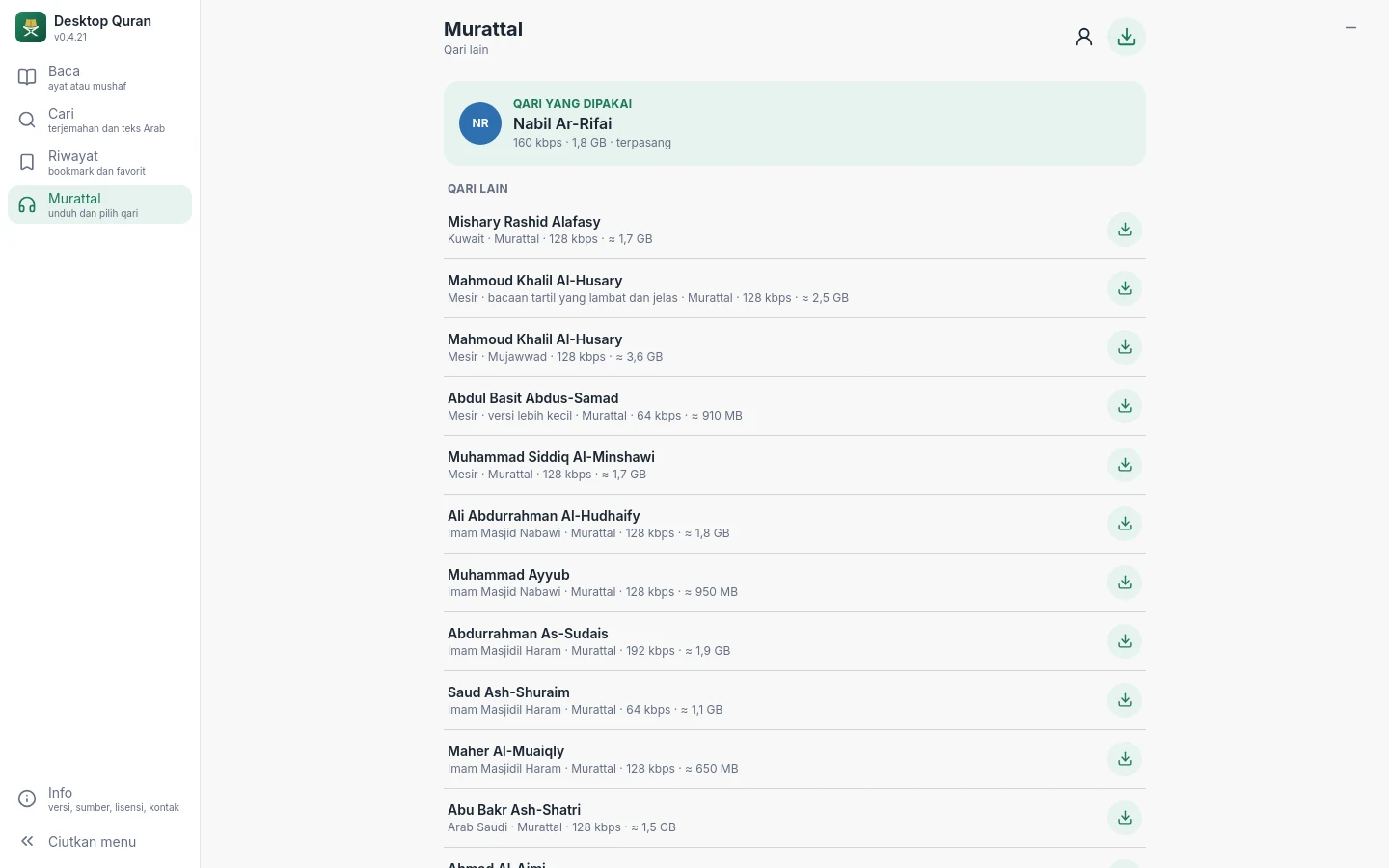
Recitation audio is not included in the application. Open Recitation → Other reciters, choose a reciter, read the provider's terms, then choose Download. The size is between 0.5 and 3.6 GB, depending on the reciter and the audio quality. A download can be stopped and resumed at any time, and playback can start as soon as the first ayah has been downloaded.
Recordings are downloaded directly from their providers: cdn.islamic.network (alquran.cloud, one file per ayah) or mp3quran.net (one file per surah, with timing data for each ayah). The rights to the recordings remain with the reciters, and the application does not alter the recordings.
The reciter in use is chosen under Recitation → Downloaded or View → Reciter. If the reciter is changed during playback, the ayah being recited is completed in the previous reciter's voice, and the next ayah is recited by the new one.
Playing a recitation
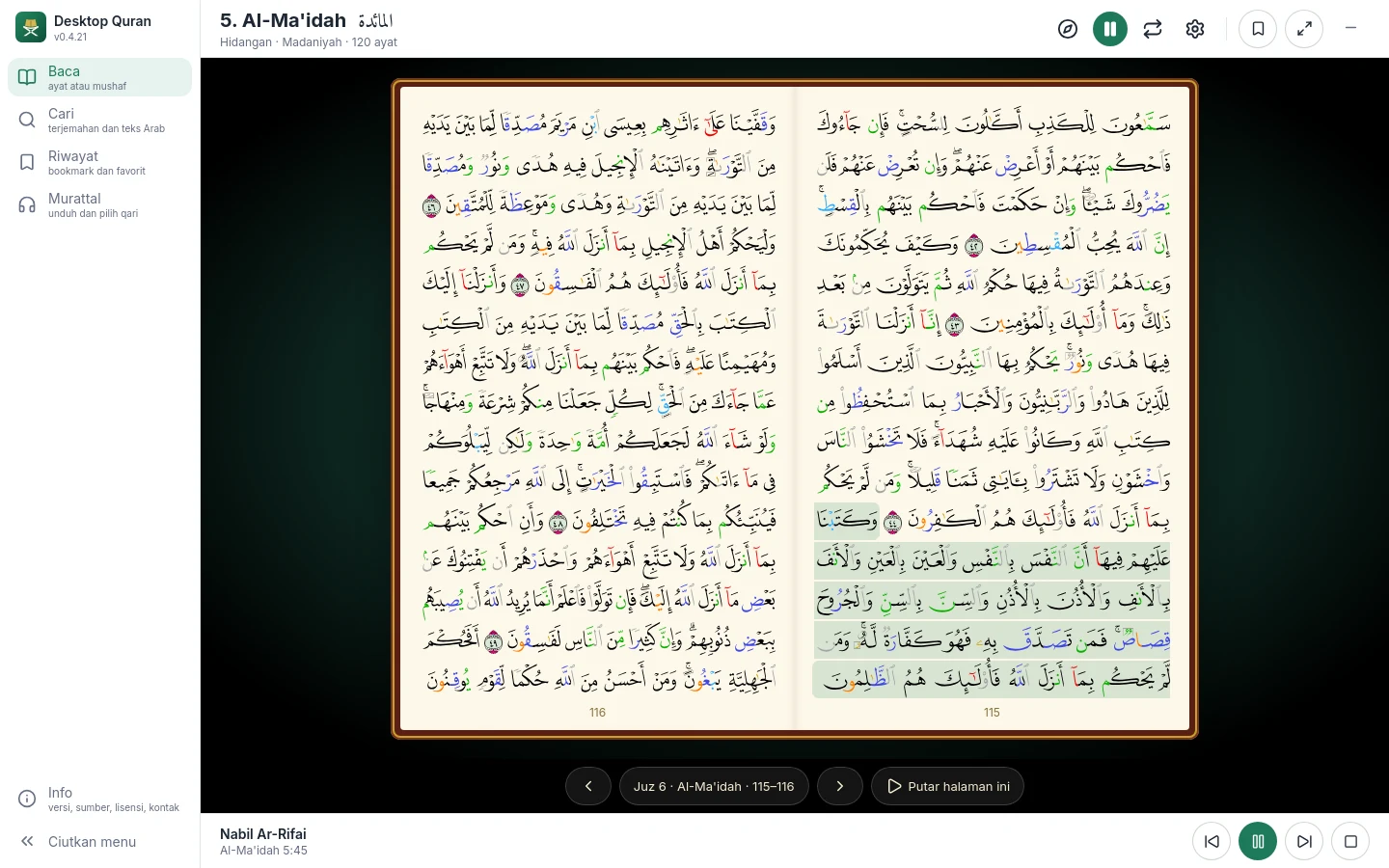
- The Play button in the reader plays from the open page (Mushaf view) or the open surah (Ayat view). Playback continues to the following pages and surahs until stopped.
- To start at a particular ayah, press and hold that ayah in the mushaf and choose Play the recitation, or press the play button beside the ayah in the Ayat view.
- The player bar at the bottom provides pause and resume, previous and next ayah, and stop. Playback continues while you open Search, History or any other menu, and while the window is minimised.
The basmalah is recited before the first ayah of every surah, except Al-Fatihah, whose first ayah is the basmalah, and At-Taubah.
Following along
The ayah being recited is highlighted, and the mushaf page turns with it. If you turn the page during playback, the recitation pauses briefly and continues from the new page. Using Go to during playback moves the recitation to that destination.
Memorisation
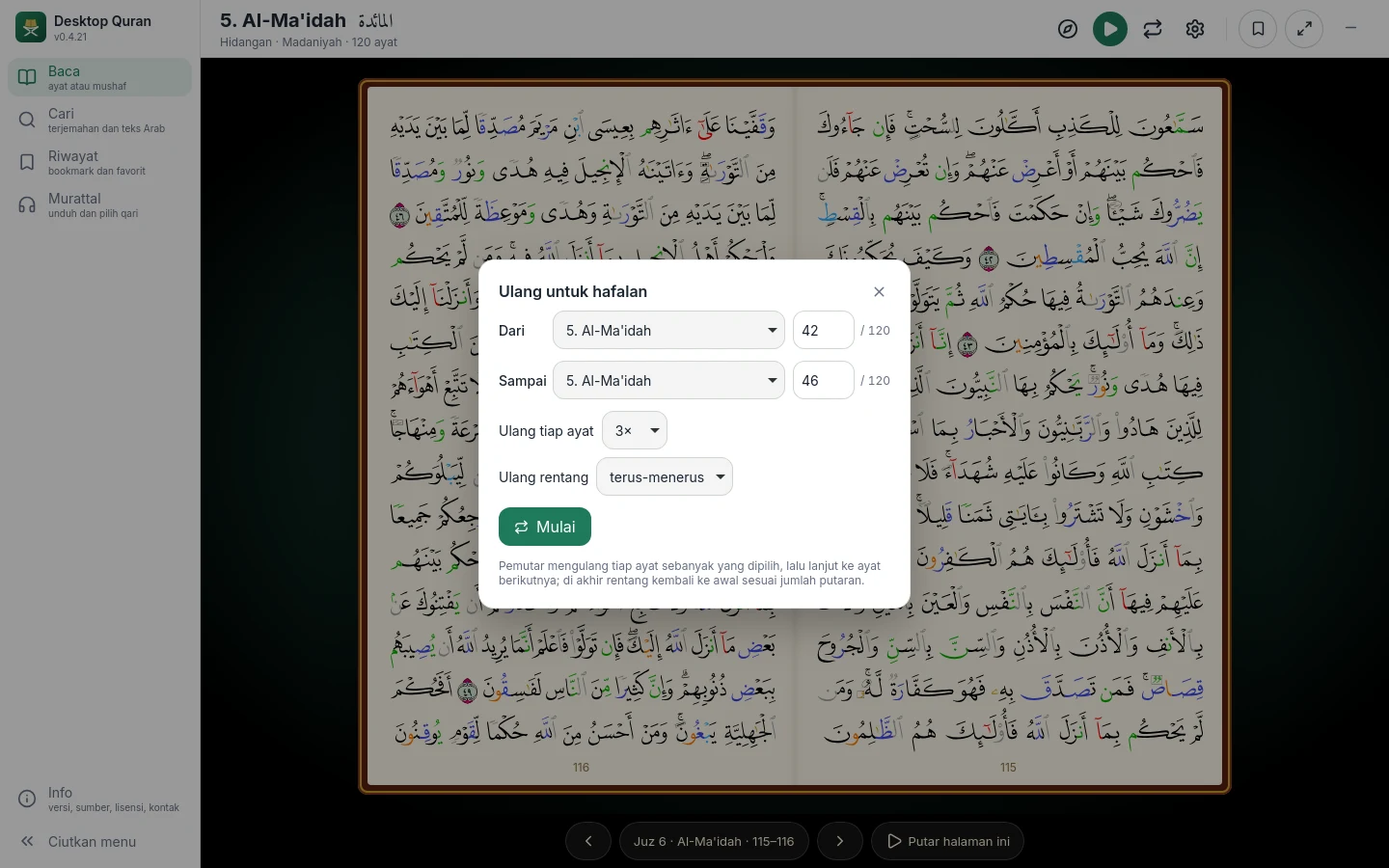
Choose the Memorise button (the repeat icon). Set the first and last ayah, which may be in different surahs, then the number of repetitions for each ayah (1 to 10) and the number of rounds for the whole range (1 to 10, or without end). The line below the ayat shows the ayah, repetition and round in progress. Stop repeating continues ordinary playback from that ayah.
The player
Since version 0.4.21, the recitation on the computer is played by the application's own player, so that one ayah follows the next without an added gap. Sound is output through PulseAudio or PipeWire on Linux, and through the system's default audio device on Windows and macOS.