
The Madinah Mushaf
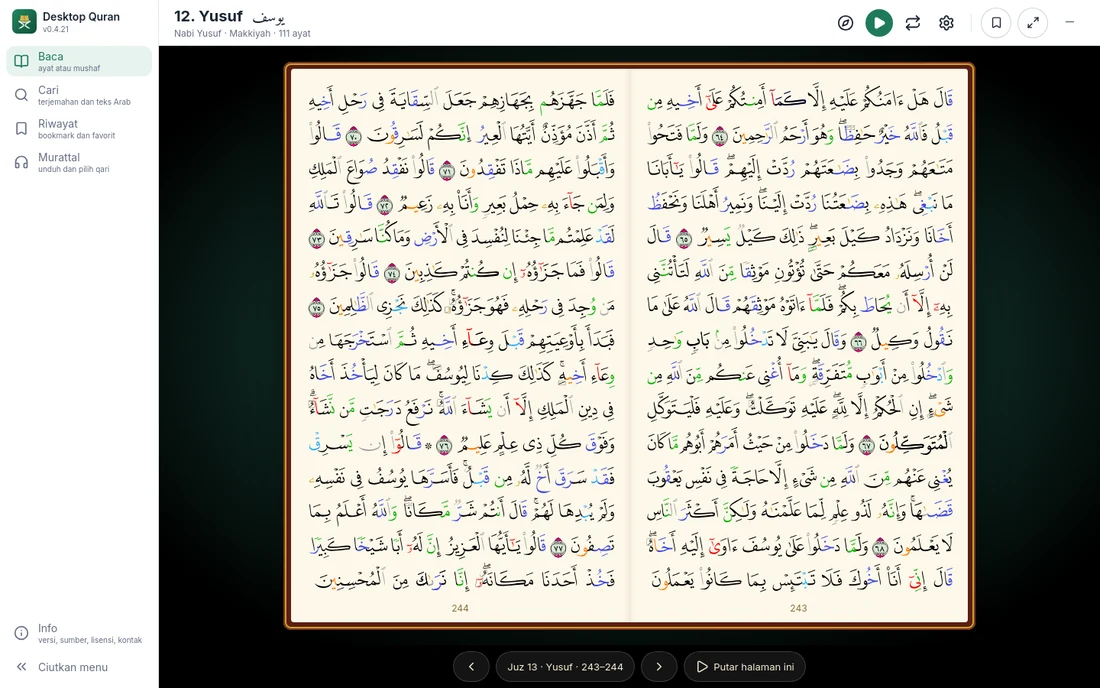
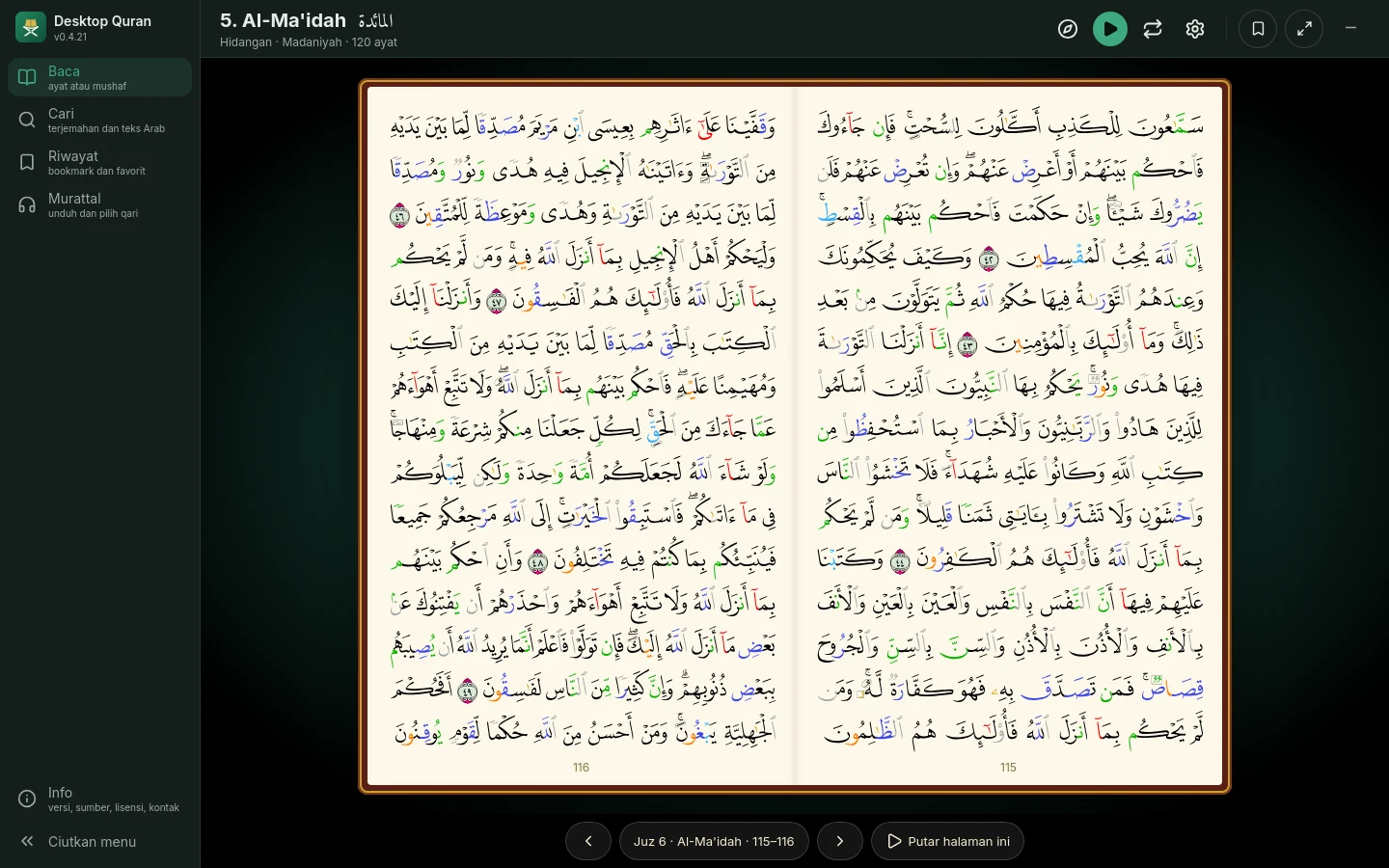
All 604 pages of the Madinah Mushaf with tajweed colouring, in the original lettering of the King Fahd Glorious Qur'an Printing Complex. Shown as a single page, a two-page spread, or in full screen.
Desktop Qur'an presents the Madinah Mushaf with tajweed colouring, translations in eight languages, word search, and recitations by 25 reciters that can be repeated for memorisation. Once installed, the application works without an internet connection.
Version 0.4.21, 12 October 2026. Windows, macOS, Linux.
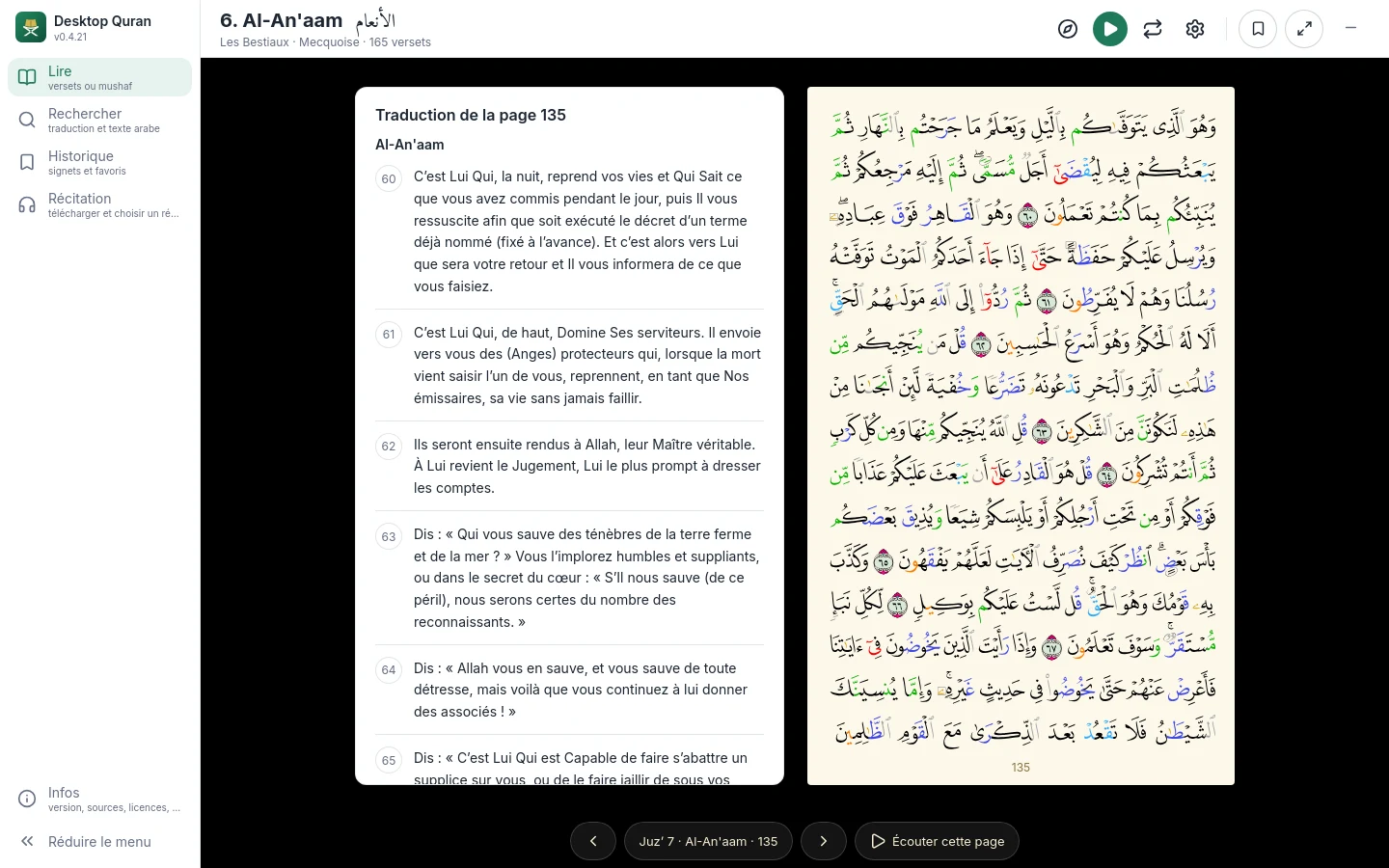
The text of the Qur'an, the mushaf and the translations are included in the application, so reading does not require an internet connection. Translations are available in eight languages: Indonesian, English, Malay, Turkish, French, Bengali, Russian and Chinese.
Recitation audio is not included because of its size. The application offers a choice of 25 reciters; select one or more and download them from the Recitation menu. Each reciter is downloaded once (0.5 to 3.6 GB) and can then be played without an internet connection.
The application requires no account, shows no advertising, and sends no data to anyone. Bookmarks, favourite ayat and the position last read are stored on your computer.
All 604 pages of the Madinah Mushaf with tajweed colouring, in the original lettering of the King Fahd Glorious Qur'an Printing Complex. Shown as a single page, a two-page spread, or in full screen.
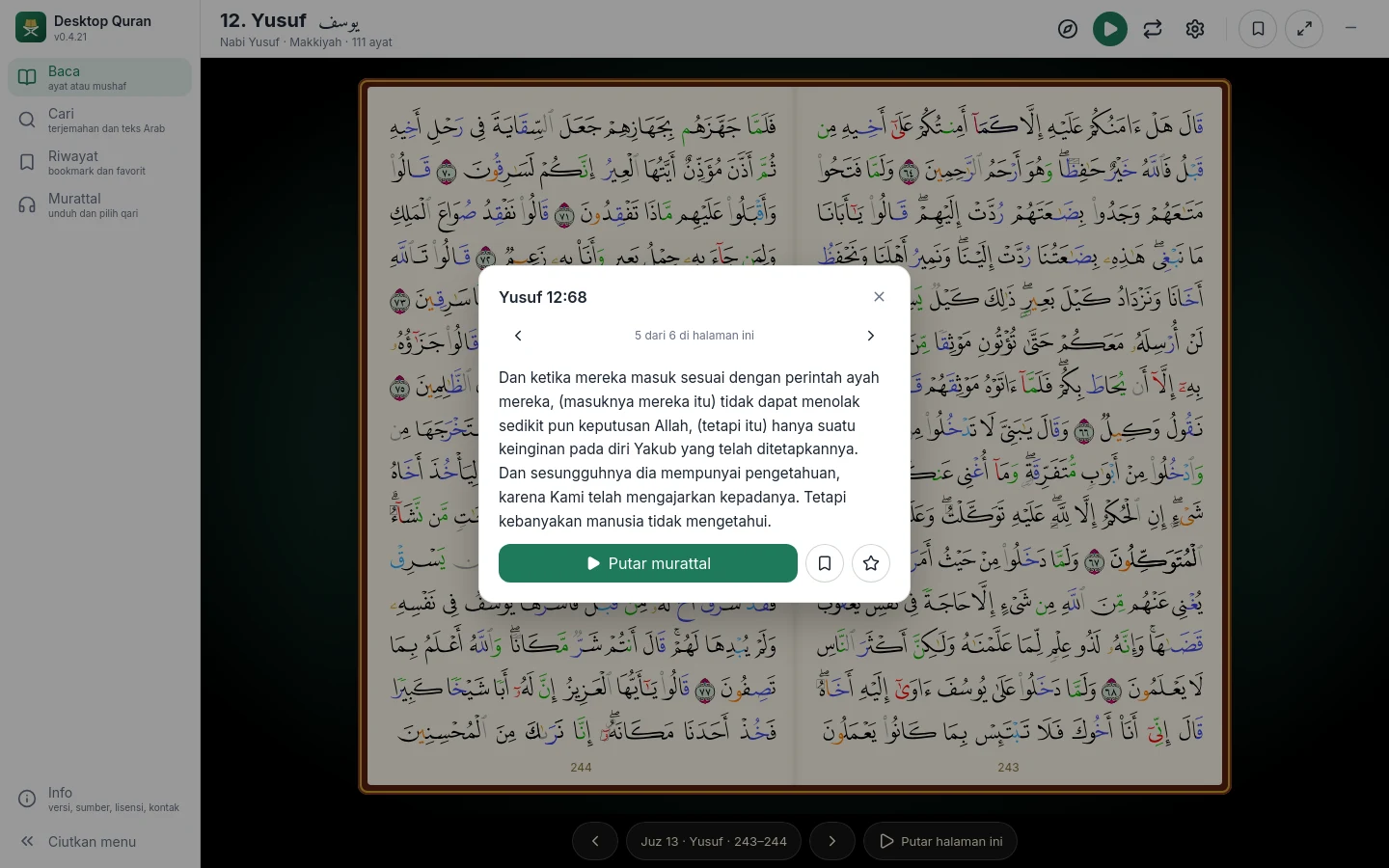
On a mushaf page, press and hold an ayah to read its translation, play the recitation from that ayah, or save it as a bookmark or a favourite.
The rules of recitation are marked in colour. The colouring can be switched on or off; a legend is available in the View menu.
Indonesian, English, Malay, Turkish, French, Bengali, Russian and Chinese. The chosen language applies to the interface, the translation and the search. Translations include their footnotes.
Open a surah by name or number and then an ayah, a juz, or a mushaf page number, from a single window.
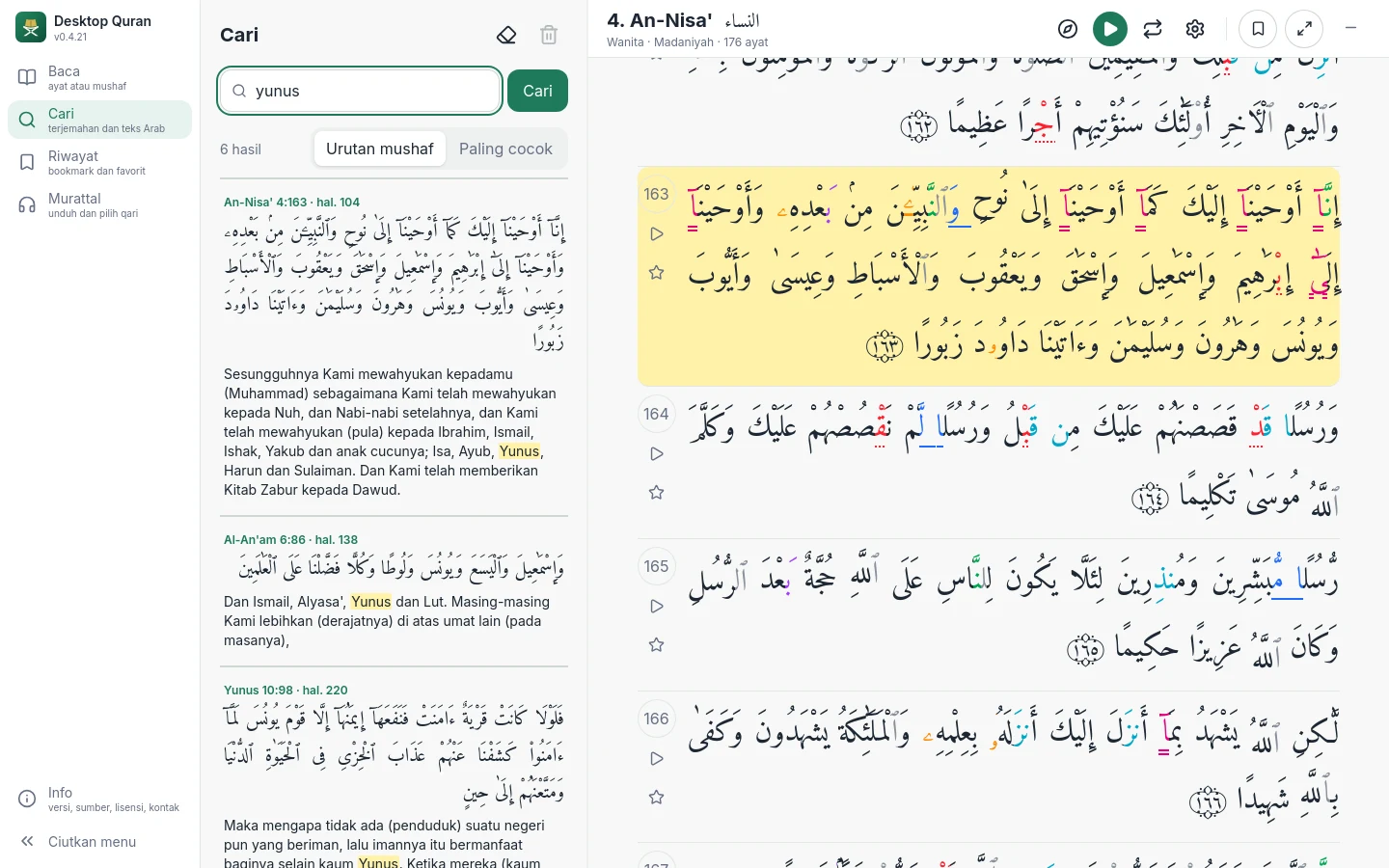
Search for words in the translation or in the Arabic text. Other forms of a word are found as well, and small typing errors are corrected.
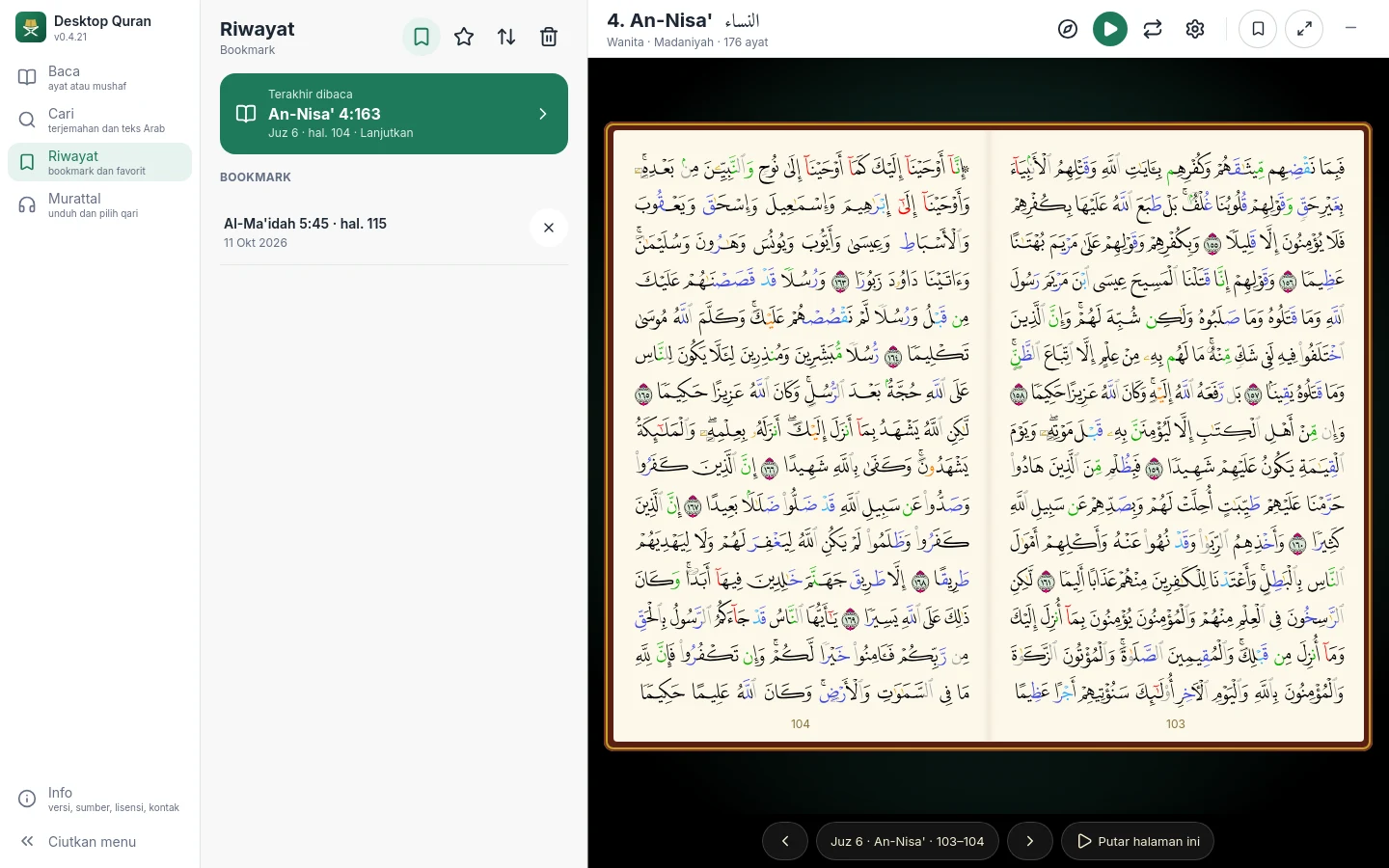
Bookmarks and favourite ayat are kept in History, where they can be sorted or deleted. The position last read is always available at the top.
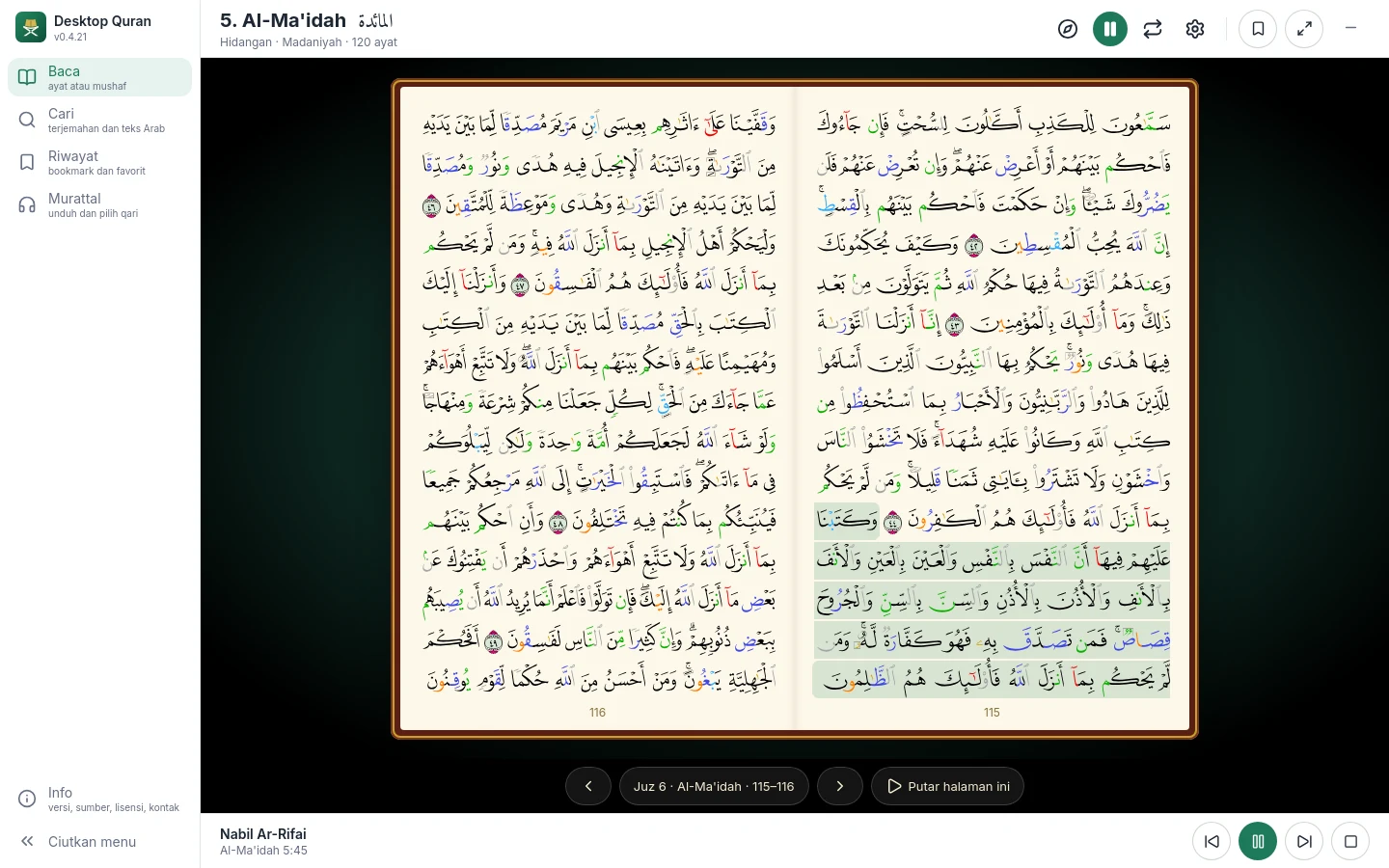
Twenty-five reciters. Once downloaded, a recitation plays without an internet connection. The ayah being recited is highlighted on the mushaf page, and any range can be repeated for memorisation.
Three Arabic typefaces (Amiri, Amiri Quran, Kitab), adjustable size and weight, and a light or dark theme.
Arrow keys turn the page; F for full screen, T for the translation, J for tajweed colouring, B for bold lettering, P to play the recitation from the open page.
No data is sent anywhere. Every data source and its licence is listed in the Info menu.
Developed and distributed by Masjid Online at no cost.
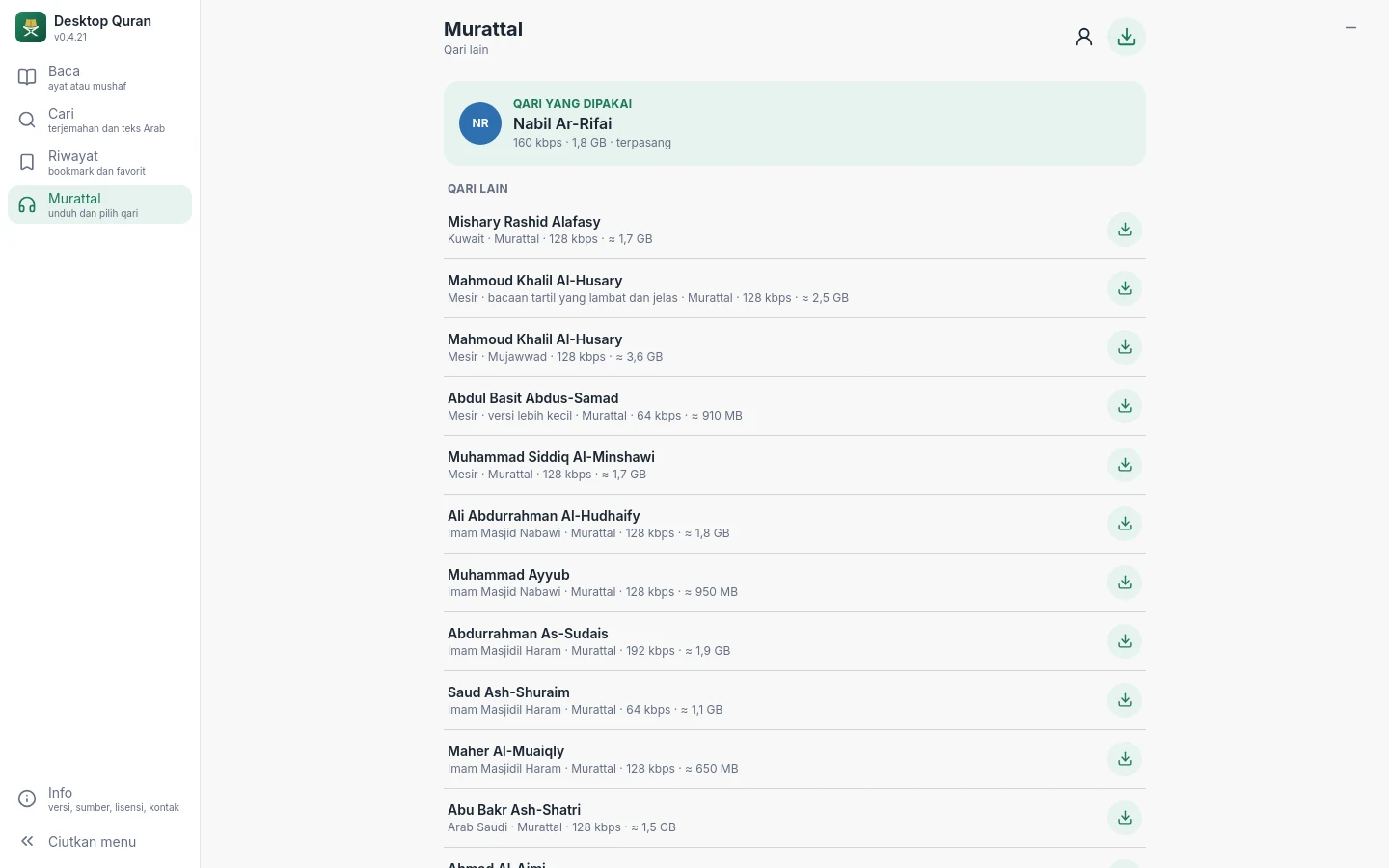
Recitation audio is not included in the application's download because of its size. In the Recitation menu, choose a reciter and download; the size is between 0.5 and 3.6 GB, depending on the reciter and the audio quality. Playback can start as soon as the first ayah has been downloaded.
Start from the open page, or press and hold an ayah and choose Play the recitation. Playback continues to the following pages and surahs until stopped. The basmalah is recited at the start of each surah.
The ayah being recited is highlighted and the mushaf page turns with it. Playback continues while you open Search, History or any other menu.
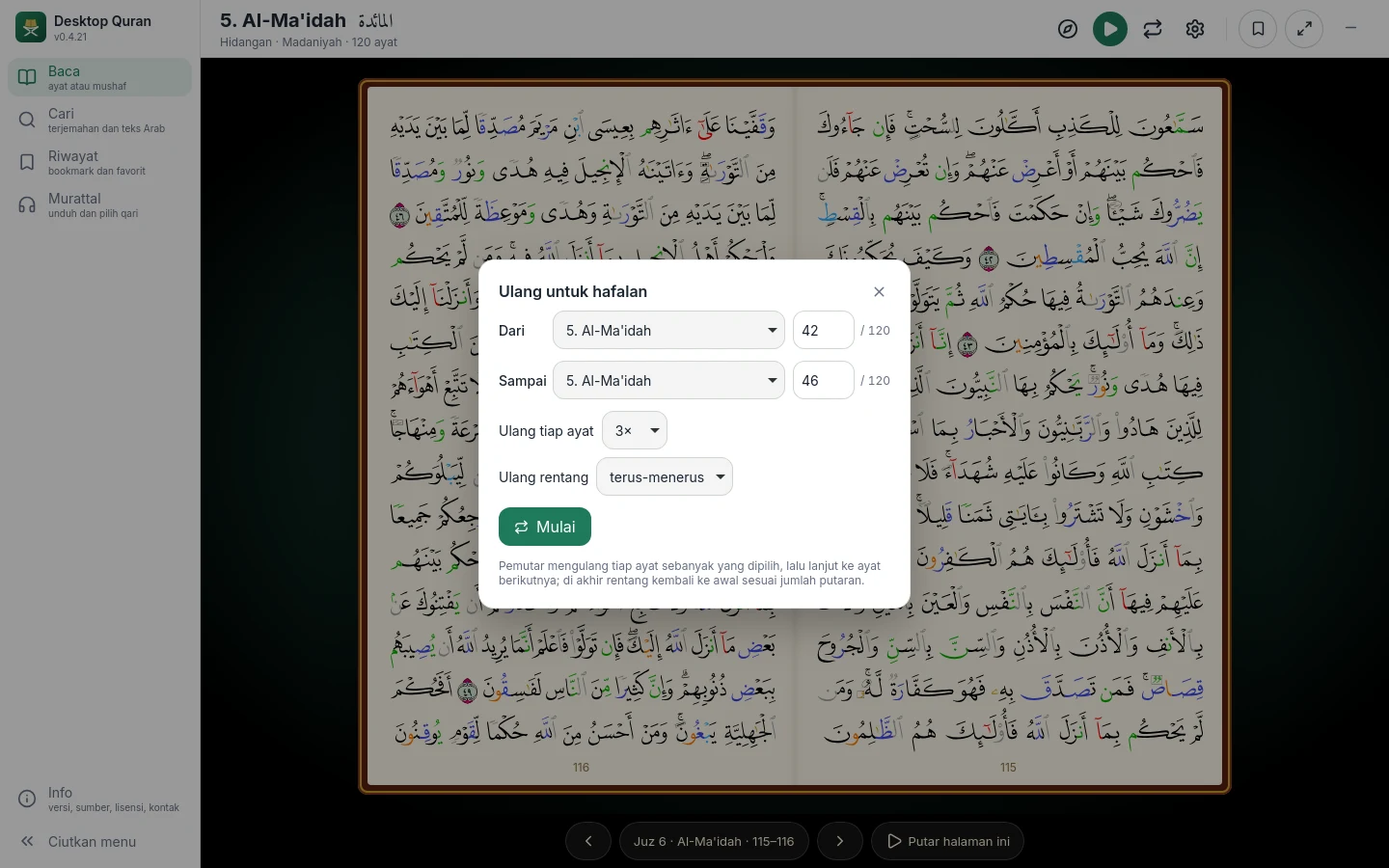
Set the first and last ayah, the number of repetitions for each ayah, and the number of rounds. The repetition in progress is shown below the ayat.
Version 0.4.21, released 12 October 2026. Free of charge, no registration.
Windows 10 or 11, 64-bit
Download278 MBRun the installer and follow its steps. If Windows SmartScreen shows a warning, choose More info, then Run anyway.
DesktopQuran_0.4.21_x64-setup.exe
macOS 11 or later, Macs with Apple silicon (M1 and later)
Download62 MBOpen the .dmg file and drag Desktop Quran into the Applications folder. A version for Intel Macs is not yet available.
DesktopQuran_0.4.21_aarch64.dmg
Ubuntu 22.04, Debian 12, Fedora, or newer, 64-bit
Download209 MBNo installation is required. Give the file permission to run (right-click, Properties), then open it.
DesktopQuran_0.4.21_amd64.AppImage
SHA-256 checksum list to verify a downloaded file. Installation guide: Getting started.
Short guides to each part of the application, from installation to memorisation.
Installation on Windows, macOS and Linux, the first launch, and where the data is stored.
The Ayat and Mushaf views, navigation, full screen, the long press on an ayah, typefaces, tajweed, themes, and keyboard shortcuts.
Searching for words in the translation or the Arabic text, the order of results, and opening a result.
The position last read, bookmarks and favourite ayat; sorting and deleting.
Downloading reciters, playing a recitation, following along, the basmalah, and repeating for memorisation.
Eight languages for the interface, translation and search, and the sources of the translations.
The data stored and where, the use of the internet connection, and the licences of the data sources.
Warnings during installation, no sound, interrupted downloads, and how to report a problem.
The changes in each version.
The application uses the following sources under their respective licences. The full list, with the terms of each, is available in the Info menu.
Tanzil Project (tanzil.net), Uthmani text, CC BY 3.0 licence.
Tajweed colour mapping from the open tajweed project (cpfair), Hafs narration.
QuranEnc.com, Rowwad Translation Center: the translation of the Indonesian Ministry of Religious Affairs, Saheeh International, and others under QuranEnc's terms.
The Madinah Mushaf of the King Fahd Glorious Qur'an Printing Complex (KFGQPC), page fonts version 4.
Amiri and Amiri Quran (Khaled Hosny), Kitab (Mahmoud Shaheen), Plus Jakarta Sans. All under the SIL Open Font License.
Recordings of the reciters from cdn.islamic.network (alquran.cloud) and mp3quran.net, downloaded directly from the providers under their respective terms. The rights to the recordings remain with the reciters.
Questions and feedback Send an email and mention your operating system and the application version: geoidn@gmail.com